Strategy for testing progressive web apps

summary
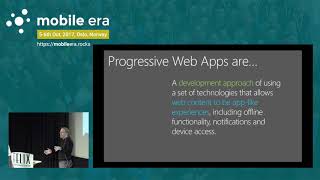
Progressive web apps claim native‑like features—offline caching (80% of adopters cite it), push, add‑to‑home—and require testing of the manifest + Service Worker logic, not just responsive layouts. Platforms differ: Android grants ~6% storage and installs a Chromium APK, iOS limits storage to ~50MB, blocks some audio/payment APIs and uses a Safari subset. Test stacks combine Selenium + Appium (or XCUITest/Espresso) plus Lighthouse and serviceworker internals; Perfecto adds a mobile.pwaStart workaround to automate PWA home‑screen launches.
AI-written summary · about
chapters (27)
- 0:00Introduction
- 1:02About Eran
- 1:47Agenda
- 3:08Past vs Future
- 3:52Mobile Native vs Web Applications
- 5:33What My Web Can Support
- 6:55Mobile Native vs Progressive Web
- 9:27What is a Progressive Web
- 12:52Progressive Web Apps
- 14:03Audience
- 17:27Progressive Web
- 20:24Service Workers
- 21:02Bugs
- 22:54Architecture
- 26:39iOS vs Android
- 28:13Responsive web testing
- 31:03Progressive web testing
- 33:44Manifest and Service Worker testing
- 34:50Twitter Light
- 35:13Service Worker
- 35:41Google Maps
- 36:29Responsive Web
- 37:27Mobile PWL
- 39:01Sample Project
- 39:21Summary
- 39:55Google Progressive Web App Checklist
- 40:54Conclusion
related talks
 09m“Test Strategy for Progressive Web Apps (PWA)”
 24mPWA for Mobile Engineers
 22mPWA Every Day Progressive Web Apps vs Native Apps
 32mProgressive Web Apps
 22mPWAs, are we there yet?!
 46mKeynote: Progressive Web Apps
 37mIntro to Progressive Web Apps
 38mProgressive Web Applications: The What, the Why and the How