R Markdown + RStudio Connect + R Shiny
summary
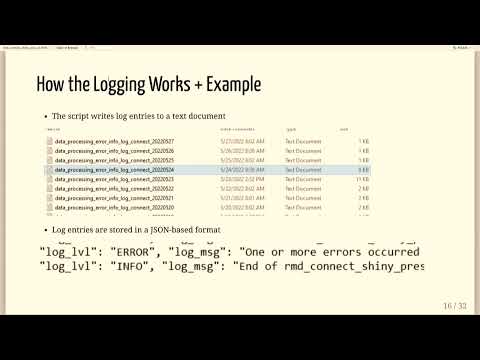
Automates scheduled R scripts by auto-deploying from Git to RStudio Connect using import from Git, logs JSON lines per day with custom fields (script name, chunk name, attempt number, version) via loggit, and sends structured email reports rendered from an R Markdown template using blastula. Built an R Shiny dashboard that reads logs with read_logs, surfaces error tables and plotly timelines, reveals chunk-level runtimes and recurring errors, and successfully centralizes troubleshooting so newcomers can triage without deep backend knowledge.
AI-written summary · about
chapters (5)
- 0:00R Markdown, RStudio Connect, R Shiny
- 2:17Automating data processing
- 4:07Error alerts and logging
- 9:56Process monitoring app
- 14:15Summary
related talks
 15mR Markdown + RStudio Connect + R Shiny
 14mR Shiny - From Conception to the Cloud
 19mThe Road to Easier Shiny App Deployments
 05mMaking Awesome Automations with GitHub Actions
 15mA Robust Framework for Automated Shiny App Testing
 29mProductionizing R scripts in the cloud
 20mBuilding a Flexible, Scaleable Self-Serve Reporting System with Shiny
 21mScaling and automating R workflows with Kubernetes and Airflow