How to migrate to Active Storage without losing your mind

summary
Concrete plan: install Active Storage and run the migrations, configure Amazon S3 per environment, then run a rake task to copy Paperclip fields into active_storage.blobs and active_storage_attachments that maps avatar_file_name, content_type, byte_size, key and checksum. Expect a two-deploy workflow because the task depends on the old Paperclip accessors and Active Storage needs its tables. Watch for key formatting and checksum work (80k files tested) — about 30% of images came out blurry due to MiniMagick; Rails 6 moves to image_processing and variants are generated lazily and cached. Verify by counting blobs and attachments and spot-checking records.
AI-written summary · about
chapters (17)
- 0:00Start
- 1:53What is Active Storage?
- 2:25Why Active Storage?
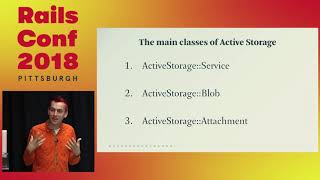
- 3:12Active Storage Documents
- 4:36Active Storage is different
- 5:08Create Active Storage Tables
- 7:29Map attachment data
- 8:11Active Storage Attachments Table
- 8:37Active Storage BLOBS Table
- 9:24Table mapping
- 9:48Step 2
- 14:45Step 3.
- 15:04Run Rake Task
- 15:39What we've done
- 17:43Update Views, Models, Controllers and Tests
- 18:54What are variants?
- 20:23Too early to the party?
related talks
 34mInside Active Storage: a code review of Rails' new framework
 25mCan ActiveStorage Serve Images for the Modern Web?
 38mRails in the Cloud
 19mBuilding a Rails Engine From Scratch: Active Storage Dashboard
 37mDenormalizing Rails
 33mValidating and Processing the Content of...
 31mTricks and treats for new developers
 31mActiveSupport and ActiveModel