Practical examples of interactive visualizations in JupyterLab...
summary
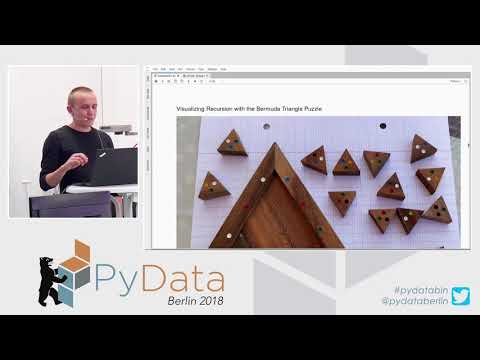
Shows how a custom JupyterLab extension uses Pixi.js and Jupyter Widgets to draw low‑level shapes, sync Python state to a WebGL/canvas front end, and animate interactions. Builds a rotating sprite and a demo that renders 100 shapes, a 16‑triangle puzzle solver that explores ~10,000 placement steps with backtracking and records snapshots, and a JSON game‑state viewer for Prospero. Code runs in a notebook (also available to launch on Binder) and the visualizations work end‑to‑end.
AI-written summary · about
chapters (12)
- 0:00Introduction
- 0:27Python visualization tools
- 1:51JupyterLab features
- 2:13PixiJS basics
- 3:16IPyWidgets sync
- 5:00Custom interactive widgets
- 8:15Wooden puzzle visualization
- 12:26Puzzle solving
- 17:46Prospero game visualization
- 20:14Real-time game states
- 22:42Applications and future
- 23:46Q&A
related talks
 41mInteractive Visualization in Jupyter with Bqplot and Interactive Widgets
 43mAdvanced Data Visualizations In Jupyter Notebooks
 29mUsing Jupyter notebooks to develop and share interactive data displays
 19mInteractive Visualizations and UIs in Julia
 29mJupyterLab+Real Time Collaboration
 32mAdvanced Visualization in Jupyter Notebooks
 27mBuilding web-based engineering applications with JupyterLab components
 28mAdvanced Graph Visualizations in Jupyter Notebooks