What’s new in Android apps for Chrome OS

summary
Chromebooks hit 17% of US notebook sales in Q4 and Android apps already run inside a container with the full Play Store; developers report real wins (Evernote users on Pixelbook spend 4x longer, Squid gets 21% of recent revenue). New capabilities include tablet mode and split screen, picture-in-picture, Android keyboard, MIDI/multichannel audio, Vulkan support, responsive ConstraintLayout transitions for resize, menu accelerators and shelf integration, careful multi‑display APIs, and zero-latency ink with prediction. Tooling ships: Chrome OS Emulator, ADB debugging over USB and a Linux VM running Android Studio that pushes and debugs on-device successfully.
AI-written summary · about
chapters (9)
- 0:00Introduction
- 0:38Why this matters
- 5:23Whats new
- 10:43Advanced things
- 15:53Resizing
- 19:26Zero Latency Inc
- 20:40Infinite Painter
- 26:47Ink Overlay View
- 33:53Developer Tools
related talks
 36mBuilding Android apps for the Chrome OS ecosystem
 29mUsing Android apps on Chromebooks for greater productivity & flexibility
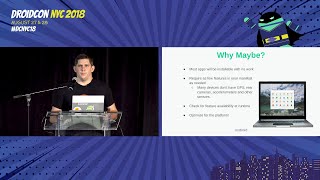 25mAndroid on Chrome OS: What you need to know
 12mOptimize your Android games and apps to run on Chrome OS
 09mWhy and how to optimize your app for ChromeOS
- 09mWhy and how to optimize your app
 33mBeyond Smartphone screen...
 23mLinux & Android Development on Chrome OS