GitLFS - How to handle large files in Git

summary
Explains how Git LFS replaces large binary blobs with tiny pointer files so a 100 MB video adds only a few bytes to Git history, saving about 200 MB (60%) across three versions; Autodesk runs it for 4000+ engineers and ~1000 repos. Covers tracking by filename patterns, pitfalls (no CRLF conversion, case sensitivity, slower sequential LFS downloads), tooling like the Java git-lfs migrate to rewrite history (works but rewrites commits), and server-side size rejects and credential setup.
AI-written summary · about
chapters (8)
- 0:00Intro
- 2:47Why are large files a problem?
- 5:11Large files in Git LFS
- 7:53How to use Git LFS?
- 11:53What files should go to LFS?
- 13:43How to track Git LFS files?
- 17:59Gotchas
- 22:56Takeaways
related talks
 42mTracking Huge Files with Git LFS
 47mMigrating 1TB to GitHub: Lessons Learned from the Field
 35mTerrible Ideas in Git
 58mGit at Scale
 47mSo you think you know Git: Advanced Git Tips and Tricks
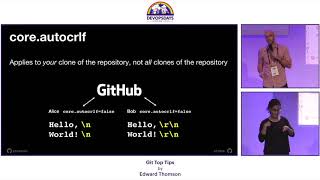 06mGit Top Tips
 34mSustaining Git Performance Under Heavy Workloads
 27mB How GitLab scaled Git access with Go and what we gained from it