Writing Documentation with Sphinx and reStructuredText

summary
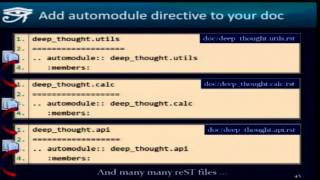
Walks through creating a docs project with sphinx-quickstart, editing conf.py, and running make html or sphinx-autobuild to see live output. Shows enabling sphinx.ext.autodoc to generate API pages from docstrings, adding intersphinx mappings, using linkcheck to find broken URLs, and installing small extensions like copybutton and themes. Demonstrates where to commit sources versus the _build/html output and notes a few live debugging hiccups but overall the workflow produces usable HTML documentation.
AI-written summary · about
chapters (30)
- 0:00Start
- 3:30Agenda
- 4:33Introduction about Documentation
- 5:05What Is Restructure Text
- 10:36Creating the Documentation Directory
- 11:36Quick Start
- 15:22Sphinx Quick Start
- 21:04Exclude Patterns
- 33:59Adding New Pages to the Documentation
- 1:00:11Sub Headings
- 1:01:06Render Links
- 1:03:46Add Comments
- 1:04:55Can I Define Python Docs Once
- 1:05:44Code Blocks
- 1:06:39Two Columns at the End of a Sentence
- 1:08:27Syntax Highlighting
- 1:14:34Table
- 1:15:46The Grid Table
- 1:18:19Table of Contents
- 1:20:24Image
- 1:24:06Cross-Referencing
- 1:24:17Cross Referencing
- 1:29:28Downloadable Files
- 1:56:47The Sphinx Extensions
- 2:00:10Add the Path to that Module
- 2:16:59Link Check
- 2:19:36The Documentation Coverage
- 2:21:01Sphinx Copy Button
- 2:21:49Themes
- 2:22:44What Files You Need To Commit
related talks
 01h 06mDocument your code
 45mIntroduction to Sphinx & Read the Docs
 33mWrite the Docs!
 27mPractical Sphinx
 36mSphinx autodoc: automated API documentation
 29mIntroduction to Sphinx & Read the Docs
 02h 59mDocumenting your code from docstrings to automated builds
 46mAutomate Documentation with Sphinx & GitHub Actions