How AWS Managed Services uses PowerShell

summary
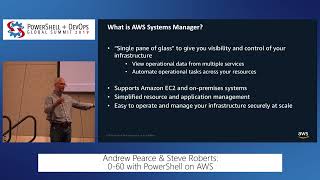
AMS uses PowerShell scripts pushed through Systems Manager and CloudFormation to automate real work at scale: a Log4j scanner that enumerates local drives, splats Get-ChildItem and Select-String with long-path support to flag vulnerable files; a disk cleanup + expansion flow that runs cleanmgr and DISM, expands the EBS volume, then calls Resize-Partition; and a guarded in-place Server 2008 R2 → 2012 R2 upgrade that checks ~30 GB free, PowerShell version, installed roles and activation, writes an answer file and waits for the SSM agent to report success. These run as SSM Automation documents and succeed in many real cases though not bulletproof.
AI-written summary · about
chapters (19)
- 0:00Introduction
- 0:44About Trent
- 1:33Agenda
- 2:07What is AWS Managed Services
- 4:29How AWS uses PowerShell
- 8:01Systems Manager
- 10:00Examples
- 11:03Log4J
- 12:05Local Drives
- 13:13GetChildItem
- 14:17GetLongPath
- 16:36GetChild
- 18:00Check for Vulnerability
- 19:54PowerShell Custom Object
- 20:48Disk Cleanup
- 25:39Run Cleanup
- 31:09Inplace Upgrades
- 39:36Wait for the upgrade
- 40:28Questions
related talks
 46m0-60 with PowerShell on AWS
 46mPowerShell on AWS CloudShell
 36mAutomating the deployment of software agents centrally using AWS Systems Manager
 53mMicrosoft DevOps on AWS
 47mAutomating Active Directory Health Checks
 41mManaging a Hybrid Infrastructure with PowerShell
 45mUsing PowerShell to be a Linux Administrator
 46mManaging Server State using Configuration as Code