PowerShell on AWS CloudShell

summary
Shows PowerShell 7 built into AWS CloudShell with preinstalled AWS CLI and AWS Tools for PowerShell modular modules that auto-update, plus 1 GB persistent storage per region. Demonstrates creating an S3 bucket, uploading and running scripts, installing Pester on demand, syncing PSReadLine history to S3, and a gp2 to gp3 bulk conversion example; also shows a loop that would whatif create 300 buckets. All demos run live and succeed.
AI-written summary · about
chapters (30)
- 0:00PowerShell on AWS CloudShell
- 1:05What is AWS CloudShell
- 3:17Key benefits of CloudShell
- 6:49PowerShell in CloudShell
- 7:13Built-in PowerShell advantages
- 8:15AWS PowerShell modules
- 10:23CloudShell updates
- 12:07Accessing AWS CloudShell
- 13:55AWS CLI and tools demo
- 15:42Pre-configured credentials demo
- 16:47EC2 instances with AWS CLI
- 17:51JQ for JSON parsing
- 18:14Install AWS CDK
- 21:55Switch to PowerShell
- 22:39Caller identity with PowerShell
- 23:23PowerShell modules list
- 24:45PowerShell autocomplete
- 25:47PowerShell variables
- 26:52Environment variables
- 27:55Customize PowerShell profile
- 29:19Reload PowerShell profile
- 30:23Install Pester module
- 31:05Upload and run scripts
- 32:16Pester tests for AWS
- 33:20Automate Pester install
- 34:48S3 buckets with PowerShell
- 36:35Mass AWS operations
- 37:40Convert EC2 volumes
- 39:27Sync PowerShell history
- 41:15Q&A and troubleshooting
related talks
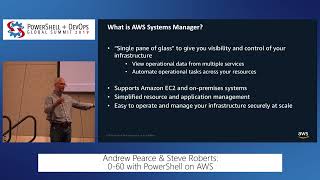 46m0-60 with PowerShell on AWS
 47mIt’s PowerShell In the Cloud – Welcome to Azure Cloud Shell
 43mPowerShell For Every System
 40mPowerShell Everywhere: Unleashing the Power..
 43mUsing PowerShell From a Browser to Manage Cloud Resources
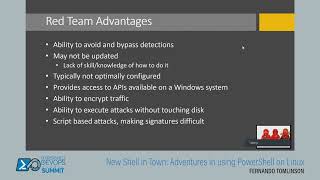 45mNew Shell in Town: Adventures in using PowerShell on Linux
 48mRapidly and securely manage your resources with Azure Cloud Shell
 19mCross-Cloud without Crossed Fingers: Surviving Azure, AWS, and GCP with PowerShell