Using PowerShell in a Cross Platform World - Bill Hurt

summary
PowerShell Core installs on macOS and Linux as pwsh.exe and promises cross‑platform scripting but the session gives concrete tradeoffs: temp drive experimental features for scratch files, web cmdlets plus Pester for REST and testing, remoting that behaves consistently, and a background job demo shrinking from 1 minute 30 seconds to 300 milliseconds. Watch for UTF‑16/UTF‑8 and CRLF issues, module path case sensitivity, env var casing, shebang support for executable scripts, and changed cmdlet flags.
AI-written summary · about
chapters (14)
- 0:00Start
- 1:31Temp Drive
- 2:46Powershell 7
- 5:10Why Choose Powershell
- 5:37Powershell Is Designed as a Shell and a Scripting Language
- 8:30Powershell Cross-Platform
- 10:05Powershell Core Cross Platform
- 11:13Data Conversion
- 11:55Cross-Platform Powershell Is Great for Build Scripts
- 18:11Environment Variables
- 23:54File Encoding
- 30:12Aliases
- 35:01Git Hooks
- 36:08What Does the P Invoke Story Look like on Powershell Core
related talks
 01h 02mPowerShell Core
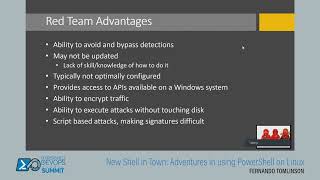 45mNew Shell in Town: Adventures in using PowerShell on Linux
 45mPlatform PowerShell
 40mPowerShell Everywhere: Unleashing the Power..
 39mBuilding Cross Platform PowerShell Modules
 05mOpenSource PowerShell...
 01h 34mPowerShell remoting - Installing and troubleshooting in a...
 43mPowerShell For Every System