Go Mobile with Xamarin

summary
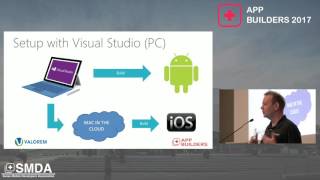
Shows a working "Mobile Tasks" app built twice: Xamarin.Android and Xamarin.iOS, using Visual Studio/Visual Studio for Mac, social logins wired through Azure Mobile Apps authentication (Twitter/Facebook/Microsoft/Google) and navigation via Android Intents and iOS segues. Shares business logic in .NET Standard shared libraries while keeping UI per-platform (Activities / ViewControllers) and density-specific drawables. Demonstrates lifecycle handling, simulator vs real-device testing, Xamarin.UITest and cloud device runs, and warns that iOS debugging and App Store compile requires Mac for iOS compile. Performance is near-native and the demo app works end-to-end.
AI-written summary · about
chapters (22)
- 0:00Intro
- 0:49Mobile Tasks Source Code Github
- 1:20What is Xamarin?
- 3:30Native Performance
- 4:25Dev System Requirements
- 7:02Device Testing Test on real devices too!
- 8:35Building Apps Some Questions
- 9:55Project Structure U-Specific projects for Android and iOS
- 11:03NET Standard Projects
- 14:09Xamarin.Android Primary Components
- 14:24Android Manifest
- 15:17Layouts File that defines the
- 16:21Graphic Assets
- 18:23Activities
- 20:17Activity Lifecycle
- 38:38Segues Define transitions between two View Controllers Examples
- 38:57Storyboards Contain visual designs of the app
- 39:27View Controller Lifecycle
- 50:53Unit Tests
- 53:45Strengths Working with Visual Studio and ca
- 54:46Weaknesses
- 57:17Conclusion
related talks
 34mBuilding mobile applications with .NET Xamarin
 42mCross-platform mobile apps development
 57mCross Platform Mobile with XAML and MVVM
 54mTechniques in creating great cross platform apps.
 39mAn overview of the Xamarin programming platforms
 01h 03mZero to Mobile Hero - Intro to Xamarin and Visual Studio Team Services
 01h 01mBuilding a real-world cross-platform app with Xamarin and MVVM
 54mSucceeding with Xamarin