Inclusive design challenges with UI widgets

summary
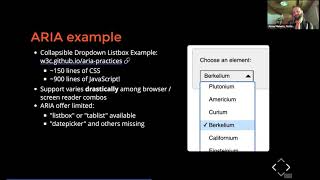
Step‑by‑step practical fixes for real widgets: how to make a drop down widget keyboard‑operable (tabindex, Enter/Space handlers, Escape to close, aria‑expanded toggles), how to trap and restore focus for dialogs, when to use native select/button versus ARIA, off‑screen labels for screen readers, and when live regions help. Demonstrations use NVDA and the WAVE toolbar and include Bootstrap patches contributed back, so viewers see working code rather than theory. Expect concrete code patterns and a working demo, not just accessibility rhetoric.
AI-written summary · about
chapters (4)
- 0:00Start
- 9:27How People With Disabilities (PWD) use the web?
- 16:19Hiding Content with CSS
- 27:05Accessible Drop Down
related talks
 24mReusable Widgets that Work!
 31mDeveloping for Everyone
 49mHow to create accessible JavaScript widgets with basic HTML components
 42mReusable Widgets That Work!
 53mDoing Responsive Right: Accessibility Lessons from the Field
 01h 07mInclusive Design Series: How to stop worrying and love accessible forms
 48mBeyond Default Boundaries: Designing Accessible Non‑Standard Components
 31mThree Cheers for Keyboard Accessibility