Interactive 3D Web Mapping

summary
Claim: harp.gl renders interactive 3D maps in the browser using WebGL and three.js, consumes vector tiles and OMV data sources (HERE XYZ) with an XYZ token, and supports Mercator and globe projection views. Workshop code shows mapView APIs for camera, rotation and data‑driven styling, adds a global railroads tile set and static GeoJSON, and loads a dancing FBX 3D model. Production numbers cited: 28 terabytes daily, 700,000 lidar points/sec, 600,000 km of HD mapping.
AI-written summary · about
chapters (41)
- 0:00Introduction
- 1:42Key Concepts
- 3:14Use Cases
- 4:32Workshop Overview
- 7:01Map View
- 7:39Geo JSON
- 10:13Mercator Projection
- 11:27Data Sources
- 12:17consuming the API
- 12:55sign up
- 17:01token manager
- 19:31creating a new directory
- 22:25canvas
- 23:11camera location zoom
- 24:09map controls
- 24:56add data
- 26:01set up local server
- 29:30view documentation
- 34:34modify mapprogrammatically
- 35:28maxpitch
- 36:26refresh
- 36:42projection
- 37:08globe controls
- 37:40globe view
- 39:43themes
- 40:21relative URLs
- 41:50projection option
- 42:06projection type
- 42:28mapcontrols
- 43:00globecontrols
- 43:16Workshop Modification
- 43:27Glow Controls
- 44:01Troubleshooting
- 49:22Changing Theme
- 50:14Copy Paste Code
- 50:32Rotating Camera
- 50:45MapDot
- 51:22Rotate
- 51:36Flat Map
- 52:09Rotation
- 54:41Infinite
related talks
 29mCreating 3D web maps with Cesium
- 29mCreating 3D web maps with Cesium
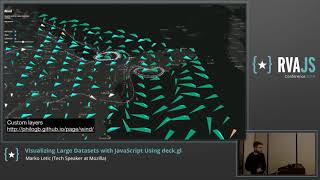 37mVisualizing Large Datasets with JavaScript Using deck.gl
 01h 34mBuild a Web Map with Open Source Tools
 12mNext generation Maps with WebGL
 55mWebGL Meets Google Maps
 30mA front-end dev epic journey into geography
 27mCartography on the Web