Experimenting with Accessibility in Flutter Games

summary
A small Flappy Bird–like game called Dash Adventure is built with Flame and Flutter to test concrete accessibility fixes: customizable difficulty (game speed, jump height, gravity), remappable inputs via a cubit and gamepad handler, and an aim-assist point zone that widens pipe space and raised the developer play score to 16. Audio and visual cues, optional haptics (vibration package), Xbox Adaptive support and community-made controllers via the Controller Project are implemented and recommended; 15% of people have disabilities and the games market is $282B (2024).
AI-written summary · about
chapters (15)
- 0:00Welcome
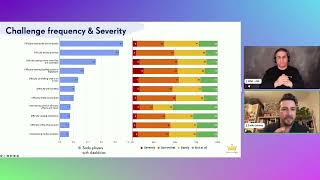
- 0:46Game accessibility challenges
- 3:16Why accessibility matters
- 6:30Making games accessible step by step
- 9:22Dash Adventure game
- 10:28Customizable difficulty
- 14:19Aim assist for motor disabilities
- 17:11Remapping controls
- 20:38Haptic and audio cues
- 22:44Visual cues for audio issues
- 24:32Color vision impairment
- 25:14Accessibility feature worries
- 26:41Disabled gamers community
- 27:42Live demo
- 33:15Q&A
related talks
 49mAccessibility of Flutter Apps, or How to Increase Traffic by 20%
 20mHow to make your mobile games more accessible to people with disabilities
 48mUncapping Accessibility in Soda
 40mGetting started with mobile accessibility: iOS, Android, and Flutter
 33mDeveloping Accessible Games with Unity
 27mFrom Widget to World Making Flutter Apps Truly Inclusive
 33mAccessibility in Flutter
 36mQuick Start to Game Development in Flutter