Making an Amazon Echo Compatible Linux System

Talkat Embedded Linux Conference + OpenIoT Summit North America 2017 · on Tuesday, 2017-02-21· at 10:30· Broadway III/IV·
summary
Shows how to run Amazon Voice Services and the Alexa Skills Kit on a Raspberry Pi 3, cloning the GitHub sample app, installing Java 8 and Node.js, registering a device and copying client ID and secret into the build, and filling confusing redirect URL fields. Uses a USB or Bluetooth mic and speaker, notes latency and lack of multi‑mic echo cancellation versus the Echo Dot, reports setup taking about 1.5–2 hours and roughly a 65% success rate for reliable boot and connections with AVS + Alexa Skills Kit.
AI-written summary · about
chapters (7)
- 0:00Intro
- 1:29Speaker/Author Details
- 5:55What does Echo do?
- 18:29What You Will Need in Hardware
- 26:01Register Your Device #4
- 38:22Making it Standalone
- 47:39Summary
related talks
 34mVoice-Controlled Lights on a Raspberry Pi
 25mAIY with Google: Would you like to be my assistant ?
 57mIntroduction to the Robot Operating System (ROS) Middleware
 44mBuilding Smart Devices using Java on the RaspberryPi-An intro to Pi4J.
 44mChallenging the Internet of Things
 41mA 'Smart Boombox' with Open Source Hardware and Software
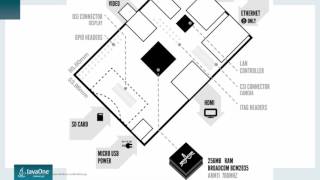 46mRaspberry Pi with Java 9
 13mRunning Android on the Raspberry Pi