Server-Driven UI with Jetpack Compose and GraphQL
summary
How to implement a native Server-Driven UI on Android by using Jetpack Compose for the client and GraphQL for delivering both screen layout and typed content. The system uses a single GraphQL query that returns screen layout plus typed sections/fragments which map to Compose components, with Apollo Android codegen and fragment colocation; includes an admin UI for editing ordered blocks (banners, collections), examples like announcement routing, deployment on GCP with a small team, and notes that the backend must expose GraphQL and layout variability requires careful design.
AI-written summary · about
chapters (11)
- 0:00Server-driven UI overview
- 1:50Jetpack Compose & GraphQL basics
- 3:55GraphQL & Compose integration
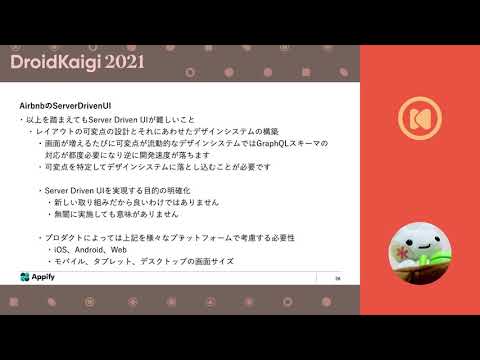
- 6:27Airbnb case study
- 9:58Screen & section design
- 12:24Server-driven UI challenges
- 14:34Form screen implementation
- 17:47Simple demo
- 20:16GraphQL & SDUI challenges
- 21:43SDUI potential & limits
- 22:48Summary & use cases
related talks
 48mA page out of Server driven UI on Android
 33mA page out of Server driven UI on Android
 41mA page out of Server driven UI on Android
 36mImplementing an Android client that brings out GraphQL’s strengths
 35mNext Generation Android UI with Jetpack Compose
 49mBuilding an Android UI using declarative programming in Jetpack Compose
 32mUsing GraphQL in a KMM project with Jetpack Compose and SwiftUI
 01h 05mLet's build Android UI with Jetpack Compose