Best Practices For Boostraping your app's User Interface
summary
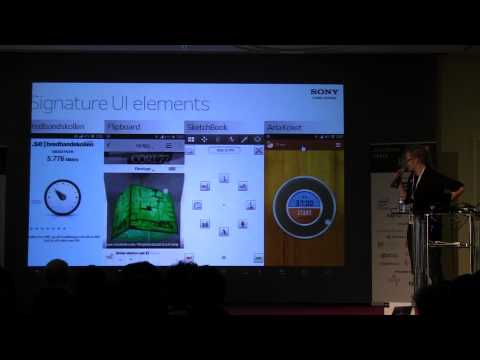
Shows that small changes beat big rewrites: avoid blocking the UI thread—do not run crap on the UI thread—and move database or heavy work to threads, AsyncTask, handlers or services. A demo list injects 0–150 ms delays that twitch, switching to async loading fixes smoothness; a 1.5 s load plus a fade adds ~100 ms but feels better. Covers property animations, layout transitions, ActivityOptions vs overridePendingTransition, and a custom ViewGroup used as the blinds view prototype (extends LinearLayout) for Xperia lock screen.
AI-written summary · about
chapters (20)
- 0:00Start
- 2:59Signature Ui
- 3:11Perceived Performance
- 4:54Golden Rule
- 5:33Difference between Perceived and Actual Performance
- 6:14Examples
- 6:29List View
- 12:39Summary
- 14:25Video Examples
- 15:49Transitions and Animations
- 20:41Signature Ui Elements
- 21:55The Flipboard
- 22:15Drawing App
- 22:54Kitchen Timer
- 24:34Custom View Group
- 33:03Return of Investment
- 33:52Common Bottleneck
- 36:40Async Task
- 38:18A Performance Gain in Using Activity Options over the Override Pending Transition
- 39:32Designing for Small Screens
related talks
 41mA Moving Experience
 48mEfficient Android Layouts
 35mThe Impact of Micro-Optimizations on Large-Scale Apps
 45mLaunch Screens: From a Tap to Your App
 37mUI profiling in examples. Where is my bottleneck?
 39mAdvanced & Practical MotionLayout
 34mSmooth Criminals, Android animations and how not to get robbed.
 43mBest Practice for Text on Android and Its Internals