App forHumans, not machine

summary
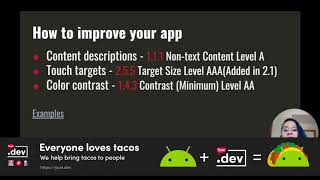
Covers concrete accessibility fixes and real Android tools: shows 15% of people statistic, recommends using SP not DP for text scaling, enforces 48dp touch area and contentDescription for images, and prefers start/end over left/right for RTL. Demonstrates Android Studio lint warnings, TalkBack interaction modes (explore-by-touch, double-tap), contrast and color-independence, and a small practical tour of good/bad/ugly layouts so you can see the fixes actually applied and how they behave.
AI-written summary · about
chapters (8)
- 0:00Start
- 1:53Why accessibility?
- 6:09Improve accesibility
- 8:20Sizing touch targets
- 9:42Text sizing-sp vs dp
- 12:16Contrast
- 17:16Content Description
- 19:05Focus group
related talks
 37mAccessibility on Android in 2019
 24mBenefits of Making Your Apps Accessible
 34mIs your app for everyone? A primer on accessibility for Android
 32mMaking Android accessibility easy
 01h 01mAndroid for Everyone: Accessibility in Android
 40mAccessibility on Android in 2019
 22mA Structured Guide to Accessibility on Android
 37mAndroid accessibility made easy