Power optimization for Android

summary
Android power is dominated by radios and sensors more than CPU: the modem jumps to a high-power state for ~15 seconds after any transfer and draws ~10× the idle power, so frequent small requests kill battery. GPS and gyroscope are expensive (gyroscope ≈ 10× accelerometer). Use tools like Battery Historian, JobScheduler/GCM Network Manager, Intel VTune/Amplifier to find wake locks, syncs (example sync lasted 7s) and batching opportunities. Optimize by batching, coalescing alarms, preferring passive/location/network providers and racing to idle.
AI-written summary · about
chapters (11)
- 0:00Introduction
- 1:51Power optimization matters
- 3:58OS power optimizations
- 8:10Tools for power measurement
- 10:59Battery Historian 2.0 demo
- 15:10Battery-draining mistakes
- 16:36Network and modem states
- 18:43Batching with JobScheduler
- 19:25Sensor and CPU optimization
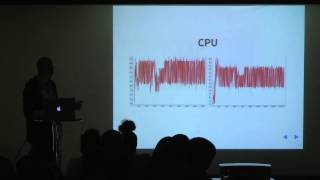
- 20:48CPU profiling with VTune
- 21:30Battery optimization principles
related talks
 39mPower Optimization for Android
 46mPerformance Matter (en)
 33mIs my application taking up too much power?
 21mImproving battery life with restrictions
 48mHow to Build Performance-Driven Android Apps
 40mAndroid high performance baby
 50mWhy Does My Smartphone Battery Die in One Day?
 53mPractical Performance Tuning on Android