Stop Fighting Your AI Engineering Prompts That Actually Work
summary
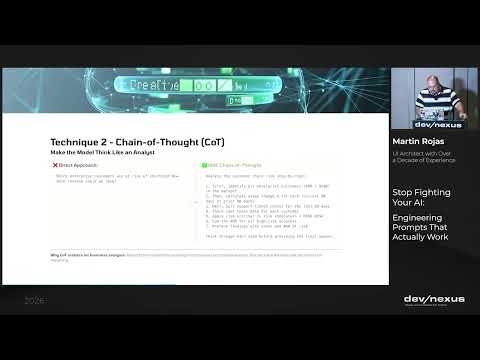
Argues that prompts should be engineered like code and shows techniques that make outputs predictable: using a persistent system message, explicit context files (agents.md, memory markdown), and persona/role definitions to cut hallucination. Demonstrates tools (Claude, Gemini, GPT, Codex/Codeex/Quad, Obsidian, CLI) and builds a meeting summarizer and agentic analyzers that debug PlayOn Sports ticket anomalies (ruled out weather). Covers chain of thought, prompt compression and self‑consistency with token counts (examples: 3k system tokens, 2k memory tokens).
AI-written summary · about
chapters (17)
- 0:00Introduction to AI prompting
- 1:13What is code switching with AI
- 2:17Basics of LLM prompts
- 5:07Zero-shot vs few-shot prompting
- 7:14Defining roles and personas
- 9:20Clarity and specificity in prompts
- 11:25Chain of thought technique
- 13:10Formatting constraints for answers
- 15:42Prompt compression for efficiency
- 18:29Using AI to write better prompts
- 21:37Structuring prompts for consistency
- 26:37Advanced patterns for agents
- 32:33Three of thought and self-consistency
- 34:21Managing context in coding sessions
- 39:59Living documentation with AI
- 44:22Token efficiency and memory management
- 46:31Offloading context to external docs
related talks
 47mThe Art of Prompt Engineering: Best Practices for Effective AI Interactions
 44mSupercharge Your Productivity Mastering Prompt Engineering
 29mSupercharge Your Productivity: Mastering Prompt Engineering
 01h 35mBuilding with Anthropic Claude: Prompt Workshop
 22mAI, Make It So - A Dive into the Universe of Prompt Engineering
 01h 08mIn Prompts We Trust
 58mAI, Determinism, Code Generation and Refactoring
 27mEnhancing AI-Driven Quality Assurance