Developing for Android TV and the Nexus Player

summary
How to adapt Android apps for Android TV and the Nexus Player: the Nexus Player uses Intel x86 hardware (64‑bit CPU) but ships a 32‑bit OS with only 1 GB RAM, which constrains memory use and native code choices. Android TV apps must declare a leanback activity, supply a non‑transparent TV banner, handle D‑pad focus navigation and overscan margins, and avoid assuming microphone/telephony/camera; native libraries should target x86/x86_64 or be packaged as per‑ABI APKs via Gradle, with emulators for testing and Play Console Android TV validation and uses‑feature checks for publication.
AI-written summary · about
chapters (21)
- 0:00Android TV intro
- 1:27Android TV evolution
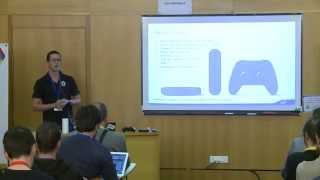
- 2:52Nexus Player specs
- 4:21TV controls
- 5:25UI tips for TV
- 6:49Play Store TV navigation
- 8:16TV design
- 11:08TV app dev
- 13:43TV manifest config
- 16:16TV interface best practices
- 18:47TV screen margins
- 20:54TV recommendations
- 22:17TV voice search
- 22:59Publish to Play Store TV
- 25:05TV permissions
- 27:12Manual TV validation
- 29:18Multiple APKs for TV
- 30:01x86 for TV
- 31:26Gradle multi-arch build
- 32:30Submit to Play Store TV
- 33:58Q&A
related talks
 45mDeveloping for Android TV
 41mBest practices for developing on Android TV
 37mCreating Engaging Android TV and Fire TV Apps with Native and Cross-Platform Tools
 43mAndroid: As seen on TV!
 44mAndroid TV de 0 a 100
 32mExpanding to new form factors: Tablet, Wear & TV
 24mBuilding an awesome game for Android
 41mHow to Build an Android TV Media Application Launcher