Let’s Migrate That Puppy

summary
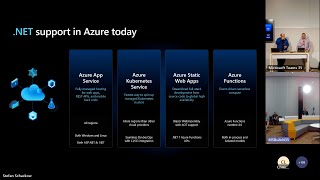
A simple ASP.NET Core MVC “my devices” app (IIS + SQL Server on a VM) is migrated three ways: lift-and-shift VM using Azure Migrate and static IP/NAT rules, App Service Migration Assistant to a P1v2 web app with deployment slots, autoscale and CI/CD, and a Logic Apps to SQL serverless flow (Microsoft Forms -> Logic App -> SQL) that successfully inserts rows. Demonstrations show reserved instances, hybrid license benefit, container/Kubernetes as options, and that each path runs after migration.
AI-written summary · about
chapters (22)
- 0:00Start
- 3:00Why We Want To Migrate Our Applications to the Cloud
- 4:46The Technology Stack
- 6:32Existing Assets
- 12:07Why Do We Want To Migrate
- 13:47Azure Migrate
- 13:57Running a Virtual Machine on Azure
- 19:22Web Application
- 20:15Platform as a Service
- 21:53Deployment Slots
- 23:39Web App on Azure Demo
- 26:16App Service Migration Assistant
- 27:54Create a New Resource Group
- 28:59Data Migration Service
- 30:42Deployment Center
- 31:11Authentication
- 31:50App Service Plan
- 33:50Serverless
- 36:19Azure Functions
- 40:29Send an Email
- 42:56Why You Are Migrating Your Solution to the Cloud
- 43:20References
related talks
 43mTake your .NET apps to the cloud with Azure Q&A
 57mMigrate your Web Apps to ASP.NET Core, one page at a time
 01h 02mGetting the best out of ASP.NET Core in Azure
 28mModernize .NET Apps and Add Agentic Functionality in Minutes
 46mTales from the NET 8 Migration Trenches
 01h 10mTake Your .NET Apps to the Cloud with Microsoft Azure
 33mMigrating .NET and .NET Core to Pivotal Cloud Foundry
 01h 02m.NET from the ground to the cloud