Building cloud-native data pipelines using Azure Data Factory

summary
Azure Data Factory presents a serverless ETL/ELT pipeline that copies on‑prem files via a self‑hosted integration runtime into ADLS, runs mapping data flows on Spark for transformations (example: add a 20% discount computed column, round to 2 decimals, sort and drop nulls), and can re‑host SSIS packages with no code changes. Claims: 90+ connectors and up to 5 GB/s single‑run throughput for file copy, managed cluster lifecycle, CI/CD via Git, and per‑job billing so short debug runs incur only cents.
AI-written summary · about
chapters (16)
- 0:00Start
- 1:08Introducing Azure Data Factory Accelerate data integration and simplify ETL at scale
- 2:50Azure Data Factory Cloud-native ETL benefits
- 5:56Azure Data Factory overview
- 8:07Get the most out of your analytics
- 10:23Ingest all your data with 90+ built-in connectors
- 13:00Transform code-free and/or code-centric, you choose Code-free transformation at scale with Mapping Data Flow
- 16:04ADF Data Flows Service Architecture
- 17:06Prepare with Wrangling Data Flows
- 17:59Transform code-free and/or code-centric, you choose Fully contained operationalization for code-centric computing
- 19:36Monitor: Best-in-class management
- 24:43Orchestrate at scale
- 27:14Benefits of Modernizing SSIS
- 28:45Enhance ETL packages with Data Factory
- 57:25Easy-to-use
- 58:03Cost-effective
related talks
 50mAzure Data Factory patterns and best practices
 41mA Case Study - Data Movement and Transformation using Azure Data Factory
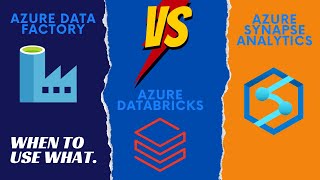 40mAzure Data Factory, Azure Databricks, or Azure Synapse Analytics? When to use what.
 35mData Migration using Azure Data Factory
 20mChoosing between Microsoft Fabric, Azure Synapse Analytics and Azure Data Factory
 50mMicrosoft Fabric Data Factory Q&A
 27mModernize your data integration to enable petabyte scale analytics with Microsoft Fabric
 01h 07mApplication Lifecycle Management in Azure Data Factory