Deep dive into Android Studio Profilers

summary
Deep dive uses Android Studio Profilers on the Santa Tracker app to show concrete workflows: CPU recordings (sampled Java, trace Java, sample native, trace system calls) with flame/top-down/bottom-up views and a filter to highlight methods, exporting/importing .trace files, and frame jank detection at the 16 ms threshold (emulator shows more red frames than a device). Memory demo toggles Full allocation tracking vs Sampled/None, uses heap dumps and GC to find a retained Penguin Swim fragment caused by a nonstatic inner long‑running task and fixes it with proper cancellation, and shows manual instrumentation via trace beginSection/endSection.
AI-written summary · about
chapters (22)
- 0:00Introduction
- 1:41Overview
- 2:19Demo
- 3:03CPU Profiler
- 3:47CPU Recordings
- 4:16Recording Details
- 4:41Zoom to Selection
- 5:25Call Stacks
- 6:22Customization
- 7:38Virtual Machine
- 7:57Zoom in
- 8:45Snowflake
- 11:02Flame
- 12:23Native Functions
- 13:21Tracing Functions
- 15:12CD Quiz
- 17:44System Cost
- 20:47Smooth UI
- 23:02Tracing Points
- 25:32Instrumentation
- 28:19Memory
- 32:12Depth
related talks
 35mIn Search of Performance: the Subtle Art of Android Profiling
 16mAndroid Studio Profiler Discovery
 31mImprove app performance with Android Studio Profilers
 13mAndroid Studio Profiling
 24mPerformance Tooling
 45mFinding and Fixing Performance Problems
 24mMake the Most of Android Vitals
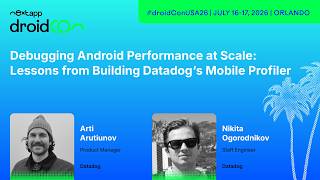 40mDebugging Android Performance at Scale: Lessons from Building Datadog's Mobile Profiler