Extracting real-time data at the edge with SageMaker & NVIDIA GPUs

summary
Pipeline shows a people‑counting system that compiles a YOLOv3 pupil detector with SageMaker Neo, optimizes with TensorRT, and deploys a Neo/TensorRT artifact to an NVIDIA Jetson Nano (JetPack 4.6) via AWS IoT Greengrass. DeepStream runs the NVInfer plug‑in, resizes live 720p RTSP to ~224×224, and passes tensors either via shared library or gRPC to the Edge Manager. Demo runs reliably, counts entries/exits correctly, and supports over‑the‑air model updates and fleet rollbacks.
AI-written summary · about
chapters (29)
- 0:00Intro
- 2:15Al inference drives the modern application
- 3:06The challenge with Al at the edge
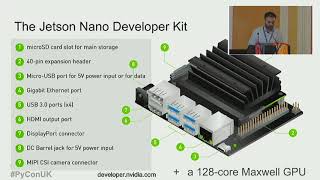
- 4:39NVIDIA Jetson
- 5:22The Jetson Family
- 6:56The secret is continuous software advancements
- 8:07Jetson software
- 10:33Inference is complex
- 11:04NVIDIA TensorRT
- 11:35Inference optimization workflow for TensorRT
- 12:18TensorRT integrated with PyTorch and TensorFlow
- 12:38Framework integrations
- 13:21Al inference deployment options
- 14:21Layer & Tensor fusion
- 15:26Kernel auto tuning
- 16:24CV is more than Al inference
- 17:10NVIDIA end-to-end SDK
- 17:51Pipeline efficiency with O memory copies
- 18:43DeepStream SDK
- 20:36DeepStream application
- 21:56AWS IoT Greengrass edge capabilities
- 25:07Edge runtime - Build device software quickly
- 27:37How SageMaker Edge Manager Works
- 28:28Edge ML basics: Amazon SageMaker Neo
- 29:39Edge ML advanced: NVIDIA DeepStream integration
- 35:44Getting started with Amazon SageMaker Edge Manager
- 36:01Amazon Lookout for Vision
- 36:48Quality management with Lookout for Vision
- 41:00How does AWS Panorama work?
related talks
 53mVideo Analytics for mere mortals with NVIDIA DeepStream SDK
 28mMachine Learning on the Edge
 18mDeploying ML solutions with low latency in Python
 47mBest Practices for Real-time Intelligent Video Analytics
 55mLarge Scale Distributed AI on the JVM
 20mAccelerating AI pipelines w/ NVIDIA on AWS: An autonomous driving case
 32mMLOps for edge devices with Amazon SageMaker Edge Manager
 54mDeep learning on AWS with NVIDIA: From training to deployment