Automated Web Performance Testing Before 5pm
summary
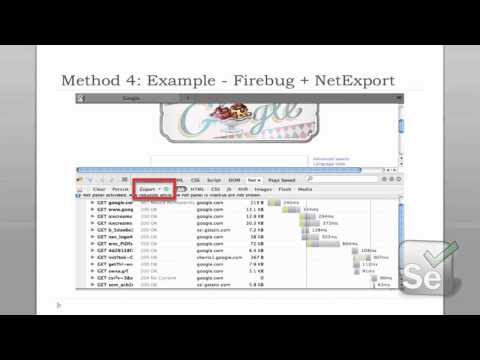
Gives five concrete ways to add automated performance measurements to Selenium tests: simple start/end timers, the browser navigationTiming API (Chrome, IE9), browser plugins that export HAR (Firebug + NetExport or WebPageTest), proxy capture and manipulation with BrowserMob Proxy (Java) or FiddlerCore (Windows/.NET), and raw packet capture converted to HAR (tcpdump/winpcap + pcap2har). Shows code to export HARs, examples of blacklisting/rewriting, bandwidth throttling, per‑resource timings, and notes platform limits (BrowserMob best for Java, Fiddler Windows only, Selenium capture lacks IE).
AI-written summary · about
chapters (12)
- 0:00Start
- 0:20Agenda
- 1:43Snippet of HAR format
- 2:50Which Metrics?
- 5:50Own Timings
- 10:04Method 3: Example - Firebug + NetExport
- 11:33Method 4: Use a Proxy
- 11:57Method 4: Selenium built-in Proxy
- 16:14Method 4: BrowserMob Proxy
- 21:33Method 4: Proxy (Fiddler - HAR)
- 22:51Method 4: Proxy - FiddlerCore
- 23:58Wire HTTP capture
related talks
 37mAutomated Performance Testing With WebDriver
 25mAutomated Performance Testing With WebDriver
 31mAutomated Performance Testing With WebDriver
 57mOpen Forum on Performance Testing
 43mAutomated Performance Testing With WebDriver
 19mWorking Well: The Future of Web Testing
 23mDevelop Your Own Performance Tool Integrated with Selenium
 01h 02mWeb Performance Tuning with browser APIs