Accessibility-flavored React components make your design system delicious

summary
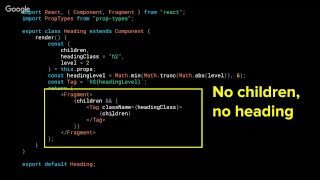
Design system components come with concrete rules and working examples: icon fonts built from spans plus aria-hidden="true" and a visually-hidden text pattern, buttons that accept aria-labels and inline icons, inputs that require labels, aria-describedby and aria-live for errors, and guardrails that throw errors if an icon or label is missing. Documentation uses Gatsby and storybook with the a11y/axe checks, VoiceOver testing and focus-management that returns focus after disclosure widgets, and cites WebAIM audits (97.8% failures; aria use up from 60.1% to 64.5%).
AI-written summary · about
chapters (13)
- 0:00Start
- 5:10Web Content Accessibility Guidelines (WCAG)
- 5:42The Four Principles of Accessibility
- 9:07Great design systems combine team AND consumer experience
- 9:42Your Design system is a cookbook
- 11:22Empower with your design system
- 11:50Component recipe
- 12:19Read helpful hints best practices
- 12:57Accessible Icons: SVGs vs. Icon Fonts
- 13:44Icon fonts to the rescue
- 24:51Avoid Horizontal Scrolling
- 39:11Dedicate a page to accessibility resources
- 39:43React is a kitchen utensil
related talks
 50mAccessibility-flavored React components...
 28mBuilding Accessible React Components
 41mDemystifying Accessibility in React Apps
 34mBuilding Accessible Components in React
 30mDesign Systems are a Carnival! One Accessible Component, Many Pretty Masks
 36mAccessibility in React Application
 16mDemystifying accessibility in React apps
 39mBuilding Webapps for everyone - a11y with React