Oops! I Committed My Password To GitHub!

summary
Accidental secret commits are common; the fix is immediate revocation of the exposed token and rotation, not fiddling with Git history. Prevention is concrete: stop hardcoding, read secrets from environment variables (os.environ.get), keep project secrets in a local .env file and add it to .gitignore, and load them with python-dotenv. For production use a real secret store (AWS/GCP Vault) so secrets are not in repos, and ensure tokens can be revoked quickly.
AI-written summary · about
chapters (9)
- 0:00Introduction
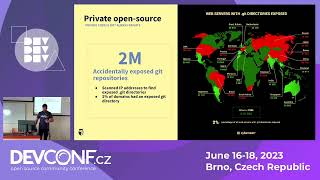
- 2:11The Survey
- 12:05The Perfect Solution
- 13:56How to Prevent This
- 16:36Where to Put Secrets
- 17:54Python
- 22:35Environment
- 23:38Summary
- 25:31Questions
related talks
 15mStop Committing Your Secrets - Git Hooks To The Rescue!
 31mExploiting Leaked Credentials - How python code is leaking millions of secrets
 14mStop Committing Your Secrets - Git Hooks To The Rescue!
 33mGaining initial access by exploiting leaked credentials
 17mPreventing unauth'd credential access on GitHub using AWS services
 24mHow to Stop Storing Secrets in Git and Start Using [tools]
 26mHow To Keep A Secret
 27mCan you keep a secret?