Data Mining vSphere with PowerCLI
summary
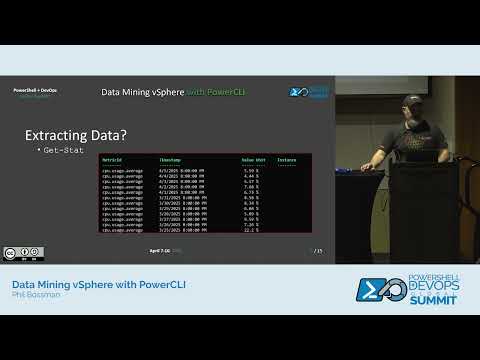
Demo shows concrete PowerCLI commands to extract and analyze vSphere data: use get-view at scale to pull specific properties, run get-stat with start/finish and interval for CPU/memory samples, and query get-vi events to correlate migrations and snapshots. Examples include listing stale snapshots, identifying VMWare Tools update candidates, exporting formatted reports via ImportExcel, and running VChek/asbuilt audits. Some live commands hiccup in the recording but Excel exports and audits complete successfully.
AI-written summary · about
chapters (8)
- 0:00PowerCLI and data mining intro
- 2:40Connect to vSphere with PowerCLI
- 5:34Get-View vs Get-VM
- 10:13Performance stats with Get-Stat
- 12:18Events with Get-VIEvent
- 14:04VM snapshots and tools updates
- 17:31VMware data reporting
- 20:26Environment auditing with AsBuilt
related talks
 42mPowerCLI: How to Automate Your VMWare Environment Reports
 51mFrom PowerCLI to API – Taking Your Automation Skills to...
 46mPractical PowerShell Integration from Bare Metal to the Cloud
 48mGoing Core with VMware PowerCLI!
 01h 00mVMware monitoring with ease
 15mVMware Cloud on AWS: Automation and integration, the real power of API
 40mA Practical Guide to Streamlined Data Management and...
 39mPowerShell with SQL Statement Data Gathering