Secure React Native Apps Against API Abuse
summary
React Native app reverse engineers reveal an exposed API key in unminified JS bundle and a proof‑of‑concept modified app that loops the getNearestShipment call to harvest lat/long and gratuities so drivers pick high‑paying jobs; mitigation includes JS obfuscator, TLS certificate pinning, blocking rooted devices and detection with geomonkey, but attackers use Frida instrumentation to bypass pinning. Countermeasures evolve to app‑level HMAC signing and an attestation service issuing short‑lived signed tokens validated by the backend; measures reduce but do not eliminate risk.
AI-written summary · about
chapters (29)
- 0:00Intro
- 1:49The Dark API Economy
- 2:40Mobile Apps Rely on APIs
- 3:39Abusing APIs in the Mobile Market
- 5:58Mobile Attack Surfaces
- 8:22The ShipFast Driver App
- 9:17API Sequence for Pick Up and Delivery
- 9:51The Ship Raider Bench and Driver App
- 10:40ShipRaider's API Exploit
- 11:25Initial Security Posture
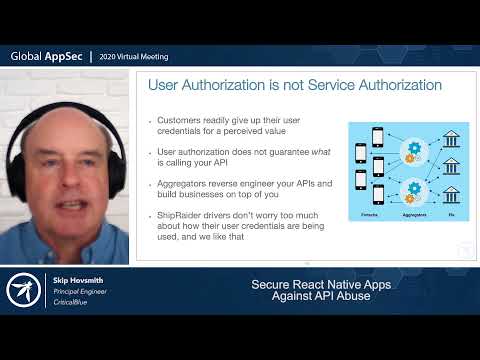
- 12:05User Authorization is not Service Authorization
- 12:53Common API Gateway Defenses
- 14:32API Proxy Pattern
- 15:56Inspect the App Package
- 17:24Obfuscate Code and Secrets in Code . Obfuscate calling logic and API & kay strings
- 19:01Observe/Manipulate Communication Channel
- 20:36Certificate Pinning
- 23:50Unpin the Channel
- 26:03Block Rooting and Instrumentation
- 27:12Nervous Product Manager
- 28:02a: Use App-Level Message Protection
- 30:07Defense 4: Removing Secrets from App Package
- 31:26Find Message Signing Secret
- 32:49a: Improve Run-Time Defenses
- 34:33Moving secrets and security decisions off device
- 37:09Defense 5b: Authenticate the App Off Device
- 39:59Defense 5c: Reintroduce the Pinning Service
- 41:31API Defense Objectives
- 43:15Attacker Pivots to a Less Secure App
related talks
 50mA Tour of API Underprotection
 33mHacking and protection of Mobile Apps and backend APIs
 45mI just hacked your app!
 26mInfiltrate Your Own Expo/React Native App
 23mTopics of Interest: React Native Security. Addressing typical mistakes
 24mMobile - Your API Security Blindspot
 36mI just hacked your app!
 50mAPI Abuse through Mobile Apps: New Attacks, New Defenses