Tutorial: From Notebook to Kubeflow Pipel...

summary
Kale converts annotated Jupyter notebooks into runnable Kubeflow Pipelines without writing SDK code or CLI commands, producing the long Python pipeline script automatically and using the notebook server image for pipeline steps. Rok takes automatic snapshots of workspace and data so a failed training step is cloned and resumed with exact inputs, enabling debugging and reproducibility. Deployment uses MiniKF on GCP to stand up a single-node Kubeflow+Rok quickly. Kale converts annotated notebooks to Kubeflow Pipelines Rok snapshots and clones workspace volumes MiniKF deploys Kubeflow+Rok in ~15 minutes
AI-written summary · about
chapters (9)
- 0:00Start
- 0:56Overview
- 8:16Typical Workflow for Developing Pipelines on Cue Flow
- 11:04Goals
- 46:20Taking Snapshot
- 46:52Structure of the Workflow
- 54:45Notebook Tools Panel
- 1:04:18Snapshots
- 1:20:09Results
related talks
 25mScaling ML pipelines with KALE — the Kubeflow Automated Pipeline Engine
 49mTutorial: From Notebook to Kubeflow Pipelines to KFServing: the Data Science Odyssey
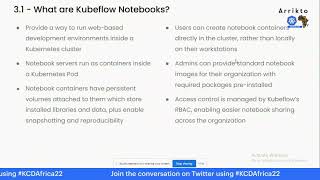 53mTransforming your Jupyter Notebook to a Reproducible Machine Learning Pipeline using Kale
 15mKeynote: Machine Learning on Kubernetes Made Easy With Kubeflow
 01h 26mTutorial: Introduction to Kubeflow Pipelines
 54mScaling Machine Learning Pipelines in Cloud
 31mKubeflow - Data Science on Steroids
 51mMachine Learning using Kubeflow and Kubernetes