a11y & Interactive Canvases

summary
Shows a concrete method used in AG Charts to make a canvas UI accessible by hiding the canvas with aria-hidden canvas plus transparent proxy elements layered over it, using DOM roles and keyboard handlers for legend and controls, and a reliable announcement trick that uses two-announcer focus-swap (swap chain) to force screen readers to speak updates. Focus indicators come from :focus-visible-driven SVG shapes positioned to match canvas bounds. Works across browsers and screen readers but proxy elements suit stable UI more than highly dynamic custom controls.
AI-written summary · about
chapters (13)
- 0:00Accessibility and Interactive Canvases
- 2:19SVG Attributes and Accessibility
- 4:11Canvas Accessibility and Proxy Elements
- 6:29Interactive Elements and Chart Accessibility
- 8:03Interactive Screen Reader Feedback
- 8:38Screen Reader Responsiveness & Element Limitations
- 9:48UI Control 'Ball' with Screen Reader Integration
- 11:05Proxy Element Integration for Screen Reader
- 12:03Focus Changes and Proxy Element Swapping
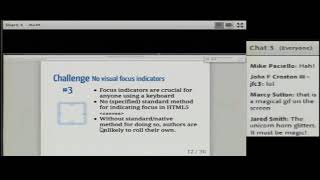
- 13:54Focus Indicators and Keyboard Shapes
- 15:14Dynamic Focus Indicators and Interaction
- 17:02Screen Reader Interaction and Focus Shapes
- 18:36Dynamic Focus Indicators and Interactive Shapes