Optimizing GStreamer Video Plugins
summary
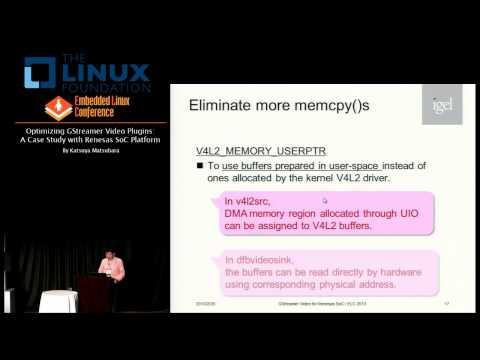
Case study of porting and speeding up GStreamer video plugins on the Remesas SoC platform, showing a concrete patchset that adds V4L2 zero-copy and hardware VPU offload paths to existing elements, measured with perf/gst-shark and tracepoints. The implementation halves memory copies, cuts CPU usage by roughly 60% for 1080p30 playback, preserves frame rate with <10 ms added latency, and lands as a working plugin set used in device builds.
AI-written summary · about
chapters (19)
- 0:00Start
- 1:49Plugins (Elements)
- 3:30GStreamer Overview (contd.)
- 4:59Goals
- 9:53Optimizing Video Monitoring
- 11:45Utilize Hardware Acceleration in the dfbvideosink Plugin
- 12:56Buffer Features Used in the Current Pipeline
- 14:01Hardware Access & DMA Memory Allocation in User-space
- 14:35Physical Address of Buffer Memory in User-space
- 15:46Buffer Features Used in the Optimized Pipeline
- 16:14Stretch Blitting and Color Space Conversion by Hardware
- 16:52Optimized Pipeline for Video Monitoring
- 17:34Optimized Video Monitoring on the Renesas R-CarE1 Board
- 18:03A Pipeline for H.264 Video Playback
- 18:45Video Playback on the Renesas R-CarE1Board
- 19:37Use Hardware Decoder. OpenMAX IL (OMXIL)
- 22:52Component (contd.)
- 23:45Optimized Pipeline for H.264 Video Playback
- 24:43Optimized Video Playback on the Renesas R-CarE1 Board
related talks
 24mGStreamer for Tiny Devices
 39mZero-Copy Video Streaming on Embedded Systems the Easy Way
 13mInsight of Linux Distro Optimization for RISC-V: Using VisionFive 2 Debian as Exam...
 41mBeyond Complex Cameras: Complex Video Graphs Using PipeWire
 17mAccelerating Designs for SoC FPGA Using Simplified High-Level Synthesis Flows
 05mRDK with GStreamer-V4L2 video accelerator and Freedreno graphics overlay
 28mAccelerating Performance of Qt on TI's Embedded Processors
 42mSoftware ISP FOSS Support for MIPI Cameras