Android and the WebView

summary
Recommendation: avoid loading arbitrary remote sites in a WebView and prefer Custom Chrome Tabs for external pages; use WebViewCompat (AndroidX) and WebViewClientCompat to intercept requests, serve local files via AndroidPlatform dot net URLs and the Google local-web-server implementation on GitHub, capture auth redirects in shouldOverrideUrlLoading, disable file access and cache, enable web contents debugging, and use the standard MessageChannel API for bidirectional JS–Android messaging. An EPUB reader built with iframes, injected CSS and these techniques works reliably.
AI-written summary · about
chapters (20)
- 0:00Intro
- 1:05What else would you really need?!?
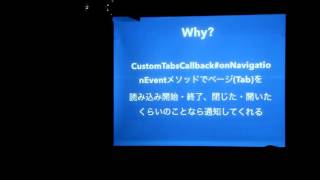
- 1:58Use Chrome Custom Tabs instead!
- 2:48Customizing toolbar color
- 3:09Customizing transitions
- 4:25android.webkit.WebView
- 7:41Getting Started
- 13:56WebViewClient
- 16:04Capturing OAuth 2 auth code
- 17:45Loading local content safely
- 20:36Bridging Android and JavaScript (old version)
- 25:01Bridging Android and JavaScript (new version)
- 26:49Bridging Android and lavaScript (new version)
- 28:46ePub in 1 slide
- 29:38ePub structure
- 30:11Package file
- 32:21ePub scrolling
- 32:44Wrapping web content (HTML)
- 35:16Custom styling of web content (CSS)
- 35:51Demo!
related talks
 39mAndroid and the WebView
 15mModern WebView best practices
 40mSo, You Want To Use A WebView? [BAD AUDIO]
 42mOvercoming Unsecurities in WebViews
 22mChrome and Android: Past, Present, Future
 25mWebView Implementations in the 2020s
 23mA pragmatic approach to WebViews
 22mThe Tangled Webview ----- Javascriptinterface Once More