Writing Apps for the Work Profile

summary
Explains how to make an Android app behave correctly inside a Work Profile: use managed configurations (app restrictions) to expose XML-configurable settings to the EMM, expect administrators to preconfigure or disable features, and test with Test DPC as a local EMM. Demos show Chrome obeying admin disables (no incognito, no sign-in) and pre-granted runtime permissions working; mentions there are over 140 EMMs and advises handling backups, camera, and cross-profile data carefully.
AI-written summary · about
chapters (11)
- 0:00Introduction and setup
- 1:09What is the work profile
- 2:34Why develop for work profile
- 3:37Work profile provisioning workflow
- 5:03Managed configurations explained
- 8:56Demo of managed configurations
- 10:22EMM policies and restrictions
- 11:25Developer considerations for restrictions
- 12:07Testing apps in work profile
- 13:36Using Test DPC for testing
- 15:44Conclusion and resources
related talks
 37mThe World of Android Enterprise Every Business App Developer Should Know
 18mGet Your App to Work at Work
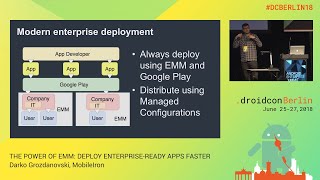 30mTHE POWER OF EMM: DEPLOY ENTERPRISE-READY APPS FASTER
 37mAndroid Enterprise: the developer's missing manual
 34mThe World of Device Management Enabled by Android Enterprise
 35mMANAGE ANDROID WITHOUT AN APP: THE ANDROID MANAGEMENT API
 40mBEST PRACTICES FOR ANDROID ENTERPRISE APPLICATION DEVELOPMENT
 16mDeveloping for Android & large screens