BUILDING A DECENTRALIZED APP ON ANDROID
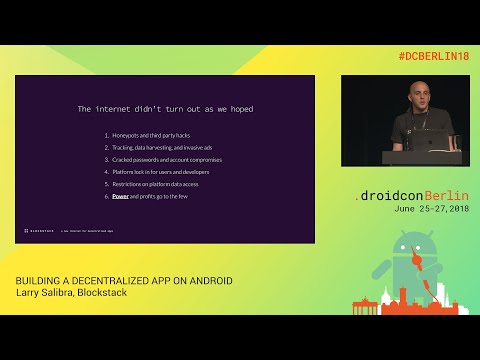
summary
Concrete how to build a Blockstack Android app: use the Blockstack SDK and a Chrome custom tab authenticator to exchange signed JSON Web Tokens, derive an app private key per user app, then call putFile/getFile to write encrypted blobs to the user’s Gaia storage hub (backed by S3/Azure or self hosted). Identity is a keypair tied to a blockchain name (about 70,000 names registered), proof‑of‑burn anchors the network to Bitcoin, and storage and crypto ops run client side with no extra server PKI.
AI-written summary · about
chapters (11)
- 0:00Introduction and speaker intro
- 1:06Problems with today's internet
- 7:07Responsibilities of data storage
- 14:43What is decentralization?
- 17:31Blockstack platform overview
- 20:43Adding Blockstack to Android app
- 22:28Authentication flow demo
- 27:21App private keys and encryption
- 28:45User storage with Gaia hub
- 34:06Why build on Blockstack
- 36:12Q&A and closing
related talks
 15mAndroid solutions for seamless sign-in across devices
 29mWhat Can Blockchain Bring to a Mobile Developer in 2020?
 39mSign here please!
 45mSign here, please!
 23mHow to overcome AI threat to user authenticity
 46mA More Secure World for Android Apps
 52mAuthentication, Authorization, and You...
 28mModern security for Android Developers