Accessibility, where to start?

summary
Explains how to start making web integration accessible by breaking common prejudices (that accessibility is complicated, time-consuming, or useless). Presents practical, actionable steps and approaches for beginning accessible HTML/CSS/UX work so teams can integrate accessibility into projects.
AI-written summary · about
chapters (22)
- 0:00Introduction and presentation
- 5:50WCAG and RGA
- 8:20How to integrate accessibility into our production processes?
- 10:25Some basics to consider accessibility from the start of the project
- 11:30Basic tests
- 12:24Keyboard navigation
- 15:52Content structuring
- 17:20Color contrast ratio
- 18:28Text zoom at 200%
- 20:11Automating tests
- 27:18Integration and development
- 28:55How does ARIA work?
- 34:01Web Accessibility notices
- 34:30Having a base theme
- 35:07Commenting
- 35:36Testing
- 37:33Mailing lists
- 38:02Q&A
- 42:51Best practices
- 44:16The budget
- 48:07Questions
- 53:10Error message
related talks
 50mHow to Get Started in Digital Accessibility
 39mHow to Get Started in Digital Accessibility?
 42mHow to Get Started in Digital Accessibility?
 53mHelp — accessibility is showing up in my web projects
 38mAccessibility — how to build web applications accessible ...
 17mAccessibility in Tech
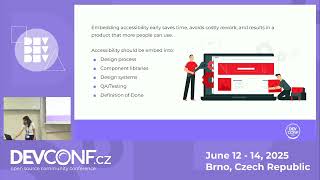 12mAccessibility-First Development: Making Applications Inclusive from Day One
 48mGet started with accessibility - And get others started too