The Curious Case of Android Button

summary
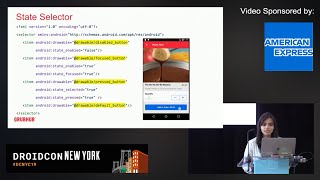
Yelp measures tens of millions clicks a day and tunes every pixel: shadow elevations, ripple animations, padding insets and color layers. The code dive traces actual framework assets—inset drawable, gradient shape, theme attributes—and shows how buttons resolve colors via ColorStateList and animate with StateListAnimator (elevation + translation for press/disabled). The team builds a small utilities layer that emits proper state lists, defines five button styles across products, and reports that using styles and theme overlays fixes inconsistent disabled visuals and supports runtime color changes.
AI-written summary · about
chapters (15)
- 0:00Start
- 0:23Yelp Mission
- 0:38About me
- 3:21Skeuomorphic UI
- 4:30Flat UI
- 5:20Almost Flat aka Flat 2.0
- 13:31What's actually an Android Button?
- 15:314 defaults styles for a Button
- 21:23Typography
- 23:17Hierarchy First define your color palette
- 29:04Secondary color?
- 33:39Feedback
- 41:06Consistency first
- 41:38Dont be afraid to deep dive
- 42:16Buttons are alive!