Auditing Online Courses for Accessibility

summary
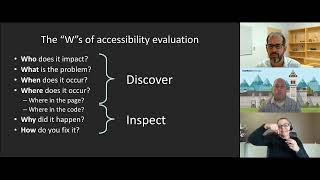
Shows how to install and run WAVE and axe DevTools on a course page, map findings to WCAG success criteria (examples: 1.1 non‑text, 1.2 time‑based media, landmarks), and build a remediation list with severity and conformance level. Demonstrates live scans that surface empty links, landmark omissions and contrast flags, and reports a real case where 30 contrast errors fixed by one CSS change collapses into a single task. Includes sample audit template and next steps for ongoing audits.
AI-written summary · about
chapters (22)
- 0:00Auditing online courses
- 1:27Speaker background and session overview
- 3:11Accessibility audit tools
- 4:35WCAG principles overview
- 8:08Benefits of accessibility audits
- 10:14WCAG guidelines and criteria
- 12:23WCAG resources guide
- 16:18Setting up audit tools
- 17:20WAVE tool demo
- 25:34WAVE results and limits
- 27:46WAVE tool FAQ
- 29:52Audit tool security
- 30:58Content accessibility tools
- 32:03Q&A on audit tools
- 34:31axe Dev tool demo
- 38:27WAVE vs axe Dev
- 39:28Sample audit report
- 41:11Remediation and training
- 41:31Upcoming accessibility course
- 44:53WCAG principles defined
- 47:21Q&A on image accessibility
- 48:47Closing remarks
related talks
 25mBeyond Compliance: Testing for a more Accessible Web
 52mAccessibility Testing 101
 56mQuick Start for Evaluating and Testing Web Accessibility
 01h 05mAccessibility Testing 101
 24mAuditing Your Site for Accessibility: Now What?
 01h 03mAccessibility: Making your websites more inclusive
 35mAccessibility (when you don't have time to read the manual)
 01h 35mAccessibility audit: why, how, what to do next?