tf-explain: Interpretability for Tensorflow 2.0

summary
Open-source tf-explain implements interpretability tools for TensorFlow 2.0, ships seven methods including occlusion sensitivity and Grad-CAM, and saves PNG saliency maps or hooks into training as callbacks to monitor validation examples each epoch. Examples show gradient maps, patch occlusion scans, and weighted last‑conv activations; performance is cheap for Grad‑CAM but expensive for occlusion and noisy for raw gradients. Released August, the library runs on Keras models and produces tangible per-image explanations.
AI-written summary · about
chapters (14)
- 0:00Introduction to tf-explain
- 2:58TensorFlow 2.0 APIs
- 7:00Eager execution in TF 2.0
- 9:54Introducing tf-explain
- 12:32Using tf-explain with pre-trained models
- 14:20Monitoring interpretability during training
- 15:44Interpretability methods in tf-explain
- 16:28Occlusion sensitivity for features
- 18:37Gradient saliency maps limitations
- 21:51Evaluating interpretability methods
- 23:39Testing with randomized data
- 24:43Grad-CAM for deep learning
- 29:02Best practices on interpretability
- 29:46Q&A
related talks
 45mExplainable Machine Learning Explained
 24mWhy and How to Build Explainability into your ML Workflow
 01h 29mNavigating ML Explainability: From Theory to Implementation
 16mBuilding Trust through Explainable AI
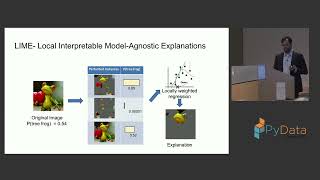 35mDeep Learning Model Interpretability for Computer Vision based Models
 30mKeep Calm and Trust your Model - On Explainability of Machine Learning Models
 35mWhy Do You Need an Explainable Ai?
 44mTensorflow, Tensorflow, What is it that you see?