Virtualisation in Docker, using KVM as Hypervisor

summary
Builds a full VM inside an Ubuntu-based Docker container using KVM/qemu, libvirt, bridge-utils and vagrant-libvirt, passing /dev/kvm into the container or running with --privileged. Requires CAP_SYS_ADMIN and CAP_NET_ADMIN, remounting /sys as read-write and setting /dev/kvm group to kvm; nested virtualization works if CPU flags show vmx or svm. Demo boots a guest successfully; unprivileged mode needs explicit device mappings and remounted filesystems while privileged mode is faster.
AI-written summary · about
chapters (8)
- 0:00Introduction and setup
- 1:28Container vs VM virtualization
- 4:40Use case for VMs in containers
- 7:12Architecture overview
- 8:17Dockerfile setup
- 9:44Privileged vs unprivileged containers
- 13:00Demo walkthrough
- 15:41Conclusion and Q&A
related talks
 37mVirter – How the "Docker for VMs" Can Help You Test the Linux Kernel
 01h 33mGetting Started with Kernel-based Virtual Machine (KVM)
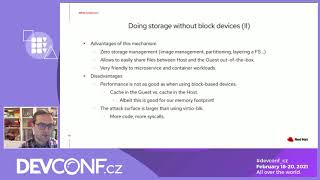 33mlibkrun: KVM-based isolation for your workloads
 32mIntroduce Virtualization and Kernel Infrastructure to Newbies
 31mKVM Nested Virtualization: Workings and Usecases
 25mIntroduction to Bootable Containers
 32mIntroduce Virtualization and Kernel Infrastructure to Newbies
 25mThe Qemu/KVM ecosystem: Navigating the code!