Customize Your App with MLKit

summary
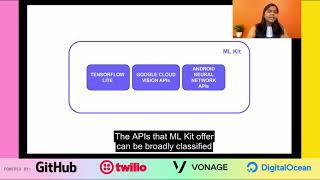
Shows how MLKit actually runs real models on-device and in the cloud, using Smart Reply and language detection to pick language codes and generate up to three reply suggestions, plus on-device translation with per-language model downloads and a download manager. Demonstrates object detection, image labeling and barcode cropping, explains Auto ML Vision Edge for training custom TensorFlow Lite models, tradeoffs of accuracy versus size and latency, and cites working examples like Dial, Lose It and a Twitter-handle extractor.
AI-written summary · about
chapters (13)
- 0:00Start
- 6:33Object Detection and Tracking
- 13:11Barcode Scanning
- 13:41Face Detection
- 14:09Image Labeling
- 14:52Landmark Detection
- 15:34Text Recognition
- 17:35Language ID
- 20:00On Device Translation
- 23:18Smart Reply
- 29:26AutoML Vision Edge
- 34:38AutoML with Object Detection
- 37:07Lose It!
related talks
 29mFirebase MLKit — AI in Android Town!!
 24mML Kit: Machine learning for mobile developers
 21mGetting the best of on-device ML with ML Kit
 04mTop 5 reasons to add ML Kit to your Android or iOS app
 09mMachine Learning on the Edge
 14mDo you want an easy way to add Machine Learning into your app?
 38mML Kit: Machine Learning for Mobile with Firebase
 12mML Kit: Turnkey APIs to use on-device ML in mobile apps