Rook: Intro and Ceph Deep Dive
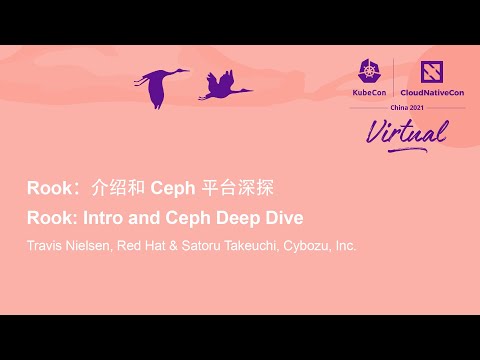
Talkat KubeCon + CloudNativeCon + Open Source Summit China 2021 · on Thursday, 2021-12-09· at 14:05· Kubecon + CloudNativeCon 演讲厅, 虚拟会议 (Virtual)·
summary
Rook installs a Kubernetes-native storage platform that deploys a Rook operator + CSI driver to manage Ceph as the data layer, provisioning block, file, and S3-compatible object storage. Version 1.8 adds object bucket notifications, cross-cluster DR mirroring, encrypted on‑wire transfers, and multis networking; demo shows a PVC-based cluster creating and expanding Ceph by increasing OSDs (cluster grows from 1 to 2 Ceph OSDs), and upgrades/CSI migration are automated. Kubernetes >=1.16 required.
AI-written summary · about
chapters (21)
- 0:00Start
- 1:04Kubernetes Storage Challenges
- 2:04What is Rook?
- 3:01Happy 5th Birthday!
- 3:22What is Ceph?
- 4:02Architectural Layers
- 4:58Rook: Management
- 6:14CSI: Storage provisioning
- 7:32Ceph: Data path
- 8:33Installing Ceph is simple!
- 9:13Ceph CSI driver
- 9:31Environments
- 10:18Rook in a Cloud Environment
- 11:23Configure for any cluster topology
- 12:31Connect to an external Ceph cluster
- 12:57Provision object storage buckets
- 13:51Object Bucket Notifications
- 14:26Disaster Recovery for Applications
- 14:55Network Enhancements
- 15:36Support for Multus Networking
- 15:54Krew Plugin
related talks
 40mRook: Intro and Deep Dive Wi...
 36mRook: Intro and Deep Dive With Ceph Storage
 35mCritical Troubleshooting Tools for Rook Clusters
 44mContainer Management at Scale
 29mReliable and Cost-Effective: Open Storage Strategies for Kubernetes
 29mTowards Sustainable Multi-Cluster Management in Real-World Academic Infrastructure
 35mIntroducing Kubernetes Resource Orchestrator (KRO)
 17mOur Journey to Kubernetes at Scale