Quick fixes to improve page load time

summary
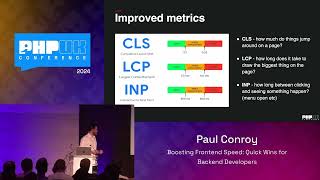
Lists concrete fixes and measured wins: use link headers / preload and HTTP/2 push to fetch critical JS early, run Chrome DevTools + Lighthouse and webpack bundle visualizer to find hotspots, apply tree‑shaking and conditional polyfills, replace whole lodash/moment imports with single‑function packages, prefer image srcset + lazy‑load via Intersection Observer, use CSS modules and fontfaceobserver to avoid reflows. Result on production: first contentful paint drops from ~350ms to ~90ms and traffic rises ~35–50%.
AI-written summary · about
chapters (15)
- 0:00Intro
- 1:37Why Do We Care?
- 4:33Not In Scope
- 7:49Profiling - Why?
- 8:28Profiling - What?
- 10:06Profiling - How?
- 14:01Tell the browser what's important
- 14:35Link Headers and H/2 push
- 16:09Inline Your CSS
- 17:38CSS Modules
- 18:41Shrink Your CSS
- 19:17Font CSS
- 24:15Lazy Load Images
- 25:33Conditional Polyfills
- 32:37Final Thoughts
related talks
 23mOptimizing page load speed on front end side
 38mCSS and the first meaningful paint
 39mFrom make it work to make it fast: quick wins to boost your application
 37mSecret Shortcuts of Loading Web Performance
 01h 03mSpeed up your Web Application
 36mHacking Web Performance
 29mHigh Performance in the Critical Rendering Path
 56mQuick Wins for Backend Developers