High Performance in the Critical Rendering Path
summary
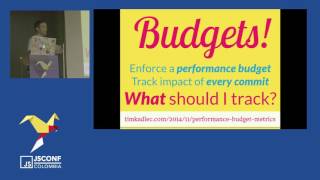
Blog initially shows spinning balls until server rendering replaces client‑only rendering and fixes first‑paint. Measure with DevTools, PageSpeed Insights, WebPageTest (video + speed index < 1000), and automate with PSI/WebPageTest CLI. Enforce a perf budget: 3MB or 1–1.5s first contentful paint to fail builds. Improve TCP (increase initial window, disable slow start), enable HTTP/2 + server push, use nginx/CDN, inline critical CSS (Penthouse/Critical), defer JS, async font loader, imageMin/GraphicsMagick and spriteSmith for images.
AI-written summary · about
chapters (13)
- 0:00Start
- 1:46Dev Tools Audits
- 2:15PageSpeed Insights
- 3:35WebPage Test
- 12:14Web Stack TCP
- 13:30Optimizing TCP
- 23:25Inline Critical CSS
- 23:53Use a font loader Prevent FOIT!
- 24:12Optimize Images
- 24:51Create Spritesheets
- 25:16Inline Images
- 25:38Use a module system
- 26:06perfschool
related talks
 29mHigh Performance in the Critical Rendering Path
 30mHigh Performance in the Critical Rendering Path
 36mHacking Web Performance
 49mEffortless Performance Debugging
 31mWe're All Doing the Best We Can
 01h 04mFrom Zero to Hero - Web Performance
 27mOptimizing the Critical Rendering Path in React
 01h 04mNeed for speed 8, performance tuning of your web application