Accessible Audio & Video

summary
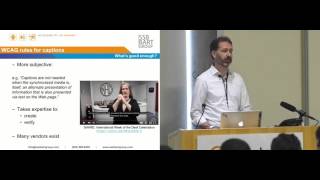
Explains concrete workflows: use YouTube auto captions as a starting point, then convert and clean files (VTT/SRT) or feed a human live captioner for events; typical edit effort is about 2–3 hours per recorded hour when done manually. Mentions tools Whisper and Audiate for improved transcription, Islandora/Video.js for delivery, and WCAG rules: live media needs captions at AA while pre‑recorded media requires audio descriptions or an alternative (often a transcript).
AI-written summary · about
chapters (14)
- 0:00Introduction and overview
- 3:05Types of alternative media
- 7:24Auto captions and human review
- 10:53Transcripts and WCAG requirements
- 11:55Audio descriptions explained
- 16:10Sign language interpretation
- 18:21WCAG guidelines and compliance
- 21:13Accessibility Talks project
- 24:27Live captioning workflow
- 30:06Editing and refining captions
- 37:26User customization and options
- 41:24Technical implementation in media players
- 42:57Future of accessible media options
- 44:01Q&A and closing remarks
related talks
 30mIt's just captions, right? Why does video accessibility matter in the 21st century.
 54mSounding out the web
 29mUsing Amazon Transcribe to make content searchable and accessible
 33mA11y Driving Innovation
 38mDemystifying Captions
 51mCaptions and Beyond Scaling Media Accessibility Audits for Title II Compliance
 54mLive Captioning: Make your next event accessible for everyone
 14mRescribe: Authoring and Automatically Editing Audio Descriptions