Demystifying Accessibility

summary
Clear, practical claims: accessibility benefits everyone and 15% of the world population is affected, so it’s not niche. Concrete failures and fixes appear — ubiquitous color-contrast problems, removed focus outlines that break keyboard users, and label/alt pitfalls. Tools and workflows are named: Lighthouse and Chrome Lens plus automated tests. Expect nuts‑and‑bolts demos like custom radio keyboard logic and tabindex/-1 focus management and whether these patterns actually work in real projects.
AI-written summary · about
chapters (18)
- 0:00Introduction
- 1:23Accessibility misconceptions
- 2:51Disabilities beyond permanent
- 5:21Accessibility benefits all
- 6:02Designers' early role
- 7:26Color contrast and labels
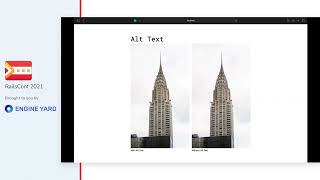
- 9:16Labeling images and controls
- 10:21Keyboard navigation
- 12:49Developers and HTML
- 14:15Tab order and skip links
- 15:59Custom components accessibility
- 18:27Focus in dynamic content
- 21:21Accessibility in development
- 22:43Automated checks tools
- 24:29Myths about cost
- 26:37Shared responsibility
- 27:40Practical steps
- 31:10Q&A
related talks
 53mThe Human Side of Accessibility
 13mDemystifying Web Accessibility
 26mAccessibility Is a Marathon, not a Sprint
 22mAccessibility in Practice
 41mAccessibility is a Requirement
 56mAccessibility Testing 101
 56mAccessibility for UX: Don't worry, it's much worse than you think
 41mWhat If We Talked About Web Accessibility?