The State of Web Components

summary
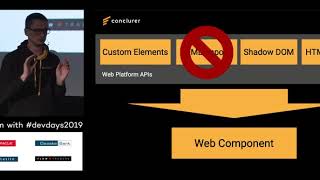
Covers the four concrete Web Components pieces—HTML template, Custom Elements, Shadow DOM and ES modules—and shows a working login-button component built from a template, appended into shadow DOM (mode: open), with observedAttributes + attributeChangedCallback and a connectedCallback/render cycle so the text attribute updates live. Demonstrates styling with CSS custom properties, part and slots, notes major browsers are native (tiny polyfills for IE), compares libraries like LitElement/Stencil and lists upcoming features: custom state pseudo-class, declarative shadow DOM and form participation API.
AI-written summary · about
chapters (12)
- 0:00Introduction to web components
- 1:24Four core web component technologies
- 7:07Building a login button component
- 10:14Speaker introduction and background
- 12:42History and early challenges
- 14:29Benefits of web components
- 17:13Styling and theming web components
- 21:04Libraries and frameworks for components
- 23:32Ready-made UI libraries
- 24:56Real-world web component examples
- 25:41Future of web components
- 27:27Q&A session
related talks
 44mWeb Components An Introduction to the Future
 35mWeb Components - The Lego Bricks of Web Developers
 45mLet's Talk About Web Components
 32mLet's talk about Web Components
 28mThe (Real) State of Web Components
 39mWeb components - A whirlwind tour
 46mWhat ever happened with Web Components?
 29mWhen to Use Web Components