Accessibility, what, why and how?

summary
Evaluation shows the top million homepages average 59.6 errors per page and 97.8 percent of sites contain accessibility faults, detected with tools like Wave, lighthouse, ax coconut, chromeboys, JAWS and VoiceOver. Practical fixes include using semantic HTML instead of div-as-button, adding meaningful alt attributes, ensuring keyboard focus and visible outlines, checking color contrast, and providing captions/transcripts. Testing workflow combines automated linters and unit checks with manual audits: listen with a screen reader, navigate with the keyboard, and disable the mouse to validate real-world accessibility.
AI-written summary · about
chapters (12)
- 0:00Start
- 2:35Disabilities
- 4:08Participation Restriction
- 4:41ACCESSIBILITY
- 5:39WHY
- 10:24BUT HOW?
- 10:49Go back to the basics
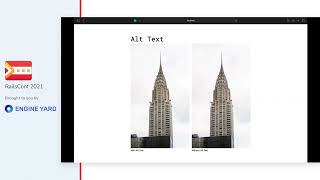
- 17:01img alt= Brown dog
- 18:20Focus
- 19:59Color & Contrast
- 25:41Media
- 27:29Listen your website
related talks
 21mPrevent, Catch and Fix Accessibility Issues
 25mPrevent, Catch and Fix Accessibility Issues
 27mAccessibility — What Do You Eat That With?
 27mAccessibility, what do you eat that with?
 50mAccessibility by Everyone (and for Everyone)
 50mAccessibility by Everyone (and for Everyone)
 20mDon't Break The Web
 41mAccessibility is a Requirement