Own Your LLM: Running Generative and Agentic AI Locally

summary
Run open-weight LLMs locally on phone, laptop or private server and keep data private while cutting latency to milliseconds and throughput to 200–300 tokens/sec on a MoE Qwen 35B setup. Use hosts like llama.cpp, Ollama, vLLM and agents such as Hermes to run tool-calling pipelines; tiny devices like Raspberry Pi Zero 2 can run agents and a laptop with an RTX 5090 or M-series Mac Mini runs the larger models. Quantize models (Q8 ≈ 95–98% quality) but heavy coding needs full precision (a Qwen 27B unquantized is ~55 GB); demos include speech cloning, vision-to-3D via Blender and fast local PDF/graph extraction — all working end-to-end.
AI-written summary · about
chapters (19)
- 0:00Running local LLMs
- 1:05Local vs cloud LLMs
- 8:11How LLMs work
- 11:45Model sizes and quantization
- 17:45Hardware for local LLMs
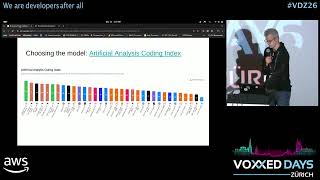
- 18:52Choosing model and version
- 20:59LLMs for programming languages
- 21:40LLMs on laptops and Raspberry Pi
- 23:27Speed testing LLMs
- 25:52Vision models for images
- 28:42Processing PDFs and drawings
- 30:08Text to image locally
- 31:10Text to speech locally
- 32:13Speech to text and cloning
- 35:21Optimizing LLM performance
- 37:07LLM tool calling
- 39:16Benchmarking tool-calling LLMs
- 40:41Summary and future
- 42:04Q&A
related talks
 20mSelf-hosting AI LLMs - a beginners guide
 35mLocal LLMs on low end hardware - a practical perspective
 41mBuilding Your (Local) LLM Second Brain
 45mEverything You Need to Know About Running LLMs Locally
 23mLLMs on the Edge: The Future of On-Device Intelligence
 29mLeveraging open-source LLMs for production
 45mRunning Your Coding Agent Locally: Lessons from a Real-World Experiment
 40mSurviving the Agentic Hype with Small Language Models